What Is ChatGPT? A Plain-English Guide
ChatGPT is like texting a patient friend who knows almost everything. You type a question in plain English, and it writes back a real answer. Not a list of links. Not a “here are ten things to visit.” An actual answer, in sentences.
It doesn’t replace your doctor. It won’t do your taxes. But if you’ve ever been embarrassed to ask a “dumb” tech question to your kids, or if you’ve spent twenty minutes scrolling search results for a simple how-to, ChatGPT is worth knowing about.
- ChatGPT answers in plain conversation — you talk, it responds (or reads aloud).
- It’s free and works right in your browser — no apps to download.
- It’s great for decoding doctor’s notes, drafting difficult emails, and finding recipes from what’s in your fridge.
- It’s a helpful assistant — not a doctor, lawyer, or financial advisor.
What is ChatGPT?
ChatGPT is a website and app that answers your questions by writing back to you. There’s no search bar with blue links. You type, it types back. That’s the whole thing.
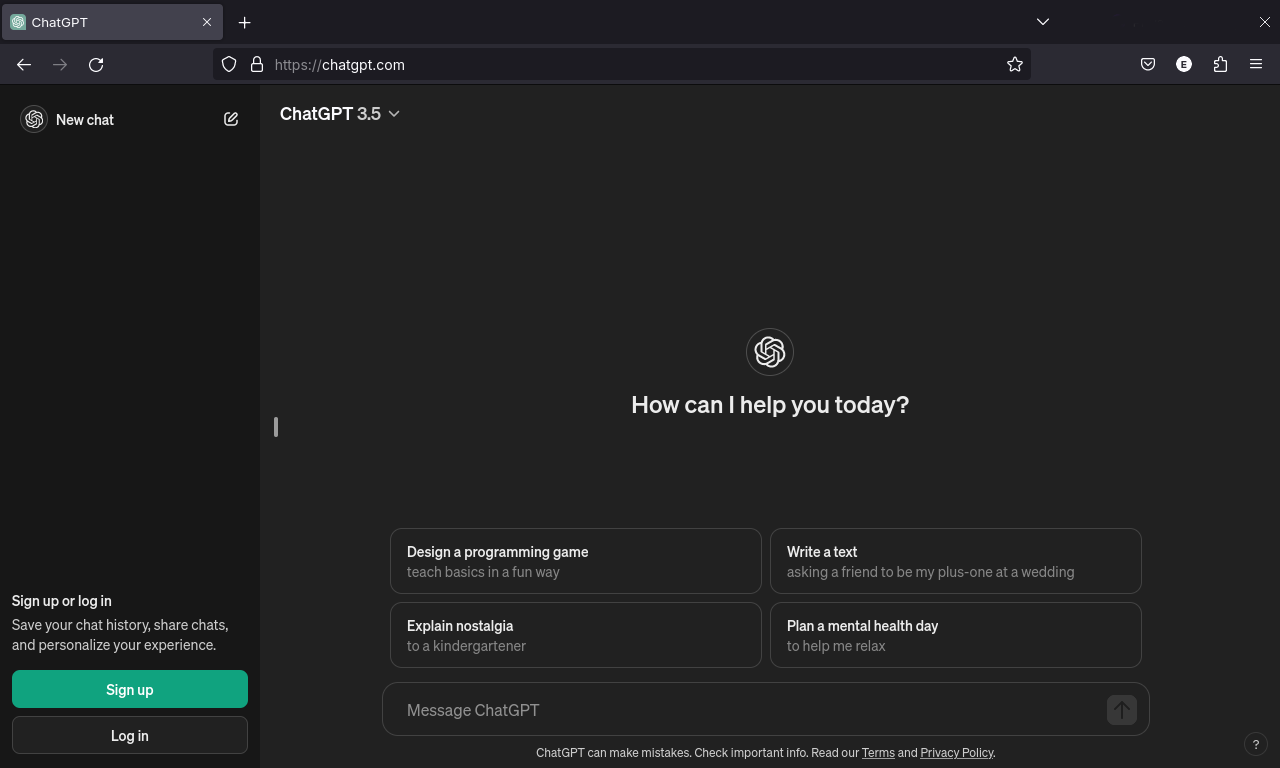
A real ChatGPT conversation. You type on the bottom, it answers up top.
The two things that make it different from Google: the answer comes back as a sentence, not a link, and it remembers what you said three messages ago. Ask “explain it simpler” or “write that as a letter to my granddaughter” and it just does it.
What Is ChatGPT Good For?
I’ve watched people in their 60s and 70s use it for things like these:
- Asking “what does this medication name actually mean?” when a doctor hands them a prescription
- Drafting an email to the HOA they can’t figure out how to start
- Getting a recipe that uses what’s already in the fridge
- Figuring out why the microwave clock keeps blinking 12:00
- Putting together a packing list for a trip to see the grandkids
None of that needs a doctor’s input or a lawyer. It’s the same stuff you’d ask a neighbor.
Is ChatGPT free?
Yes. The free version does 95% of what most people want. You can type questions, get answers, and keep a conversation going all day without paying.
The company that makes it, OpenAI, also sells a paid version called ChatGPT Plus. It costs $20 a month. It’s faster, it can look at images you upload, and it’s better at long complicated tasks. If you’re reading this page, you almost certainly don’t need it. Start with free.
How Do You Actually Start Using ChatGPT?
Open your browser and go to chatgpt.com. You’ll see a text box at the bottom of the screen. Type your question into it. Hit the arrow or press Enter. Read what comes back. Ask a follow-up if you want.
That’s it. No account needed for a quick try. If you want to save your conversations, make a free account with an email. There’s no app to download for the basic version, though there’s a phone app if you prefer.
Is it safe?
For everyday questions, yes. ChatGPT is built to refuse harmful requests and avoid giving dangerous advice. It won’t try to scam you. But there’s a different kind of safety to think about.
- Don’t paste your bank password, Social Security number, or medical records into it. Treat it like a public bench, not a locked filing cabinet.
- It can be wrong. It’s real good at sounding right while being wrong on facts. Numbers, dates, and medical specifics deserve a second check.
- It is not your doctor. It is not your lawyer. It can summarize and explain, but decisions about your health, money, or legal situation are still yours to make with the people licensed to help you.
If you wouldn’t trust a stranger at the library with the information, don’t trust ChatGPT with it either.
What Can ChatGPT Help You With?
Some real examples, pulled from things seniors actually ask it:
- Writing a condolence note or thank-you card when the words won’t come
- Translating “the discharge paperwork said I have ‘hypertension stage 2,’ what does that mean?” into plain English
- Drafting a polite complaint to a contractor who didn’t finish the job
- Turning a phone-ai voice scam warning into a short text your mom will actually read
- Brainstorming hand and arm exercises for a knee-recovery week
Where Can You Use ChatGPT?
Any device with a browser. Computer, tablet, phone. The website is chatgpt.com. There’s also a free phone app for iPhone and Android if you prefer tapping an icon.

ChatGPT runs in any browser. Tablet, phone, laptop, all work.
The Short Version: What You Need to Know
ChatGPT answers your questions by writing back to you, like a text conversation. It’s free, it runs in a browser, and it forgets nothing you’ve said in the same chat. For everyday questions, it’s worth your ten minutes.
Questions people actually ask
Yes. The free version doesn’t expire and doesn’t ask for a credit card. You can use it every day without paying. The $20/month upgrade (ChatGPT Plus) is for people who want faster answers and image uploads, not for everyday questions.Is ChatGPT really free?
No, you can try it without one. But a free account (just an email) lets you go back and read your old conversations. If you only ask one question a day and don’t care about saving, skip the account.Do I have to make an account?
The phone app can read answers out loud, and the newest version has a real voice mode. But on a laptop, you type and it types back. If hearing answers matters to you, install the phone app.Can it talk out loud?
In the same conversation, yes. If you ask it to explain blood pressure, then ask “what number is too high?” it knows you’re still on blood pressure. When you start a new chat, it’s a clean slate.Does it remember what I said earlier?
Mostly. OpenAI can see what you typed to train future versions, unless you turn that off in settings. The bigger risk is you pasting something private into a public-feeling box. Bank passwords, Social Security numbers, late husbands’ names with birthdates, that kind of thing, keep out.Is my conversation private?
You can ask what a word on your lab results means. That’s fine. But for decisions about your treatment, your meds, your symptoms, talk to your doctor. ChatGPT is not a doctor and it sometimes gives confident-sounding medical advice that’s wrong.Can I ask it about my health?
Go to chatgpt.com in any browser. Type a question in the box at the bottom. Press the arrow or hit Enter. If you like it, make a free account to save your chats. That’s the whole setup.How do I start?
No. It’s a helper, not a replacement. Your doctor, lawyer, accountant, and pharmacist all do things it can’t: examine you, sign a filing, hold your money, fill your prescription. Use ChatGPT for the everyday stuff you’d ask a friend.Will it replace professionals I rely on?
Want to Try One Question Right Now?
Open ChatGPT and type the question below. You don’t need to sign in to try it.
Example ChatGPT Prompt:
“Can you explain what artificial intelligence is in simple terms that a beginner can understand?”
What Should You Read Next?
If this made sense, the next step is the step-by-step guide:
- AI for 70s: The Complete Beginner’s Guide – the big picture of what AI is and isn’t
- How to Use ChatGPT: Step-by-Step Guide – turns this page into a tour of the screen, button by button
Take ten minutes today. Ask it one question about something you’ve been wondering. You’ll know within that ten minutes whether it’s for you.